
Blog
How to Choose the Best Perimeter Security Systems?
Choosing the right Perimeter Security Systems is no longer a simple equipment decision. It is a risk-management decision shaped by site layout, asset value, staffing, weather, and response time. A fence may look secure at noon, yet become a blind spot after heavy rain or poor lighting. Effective protection must detect, verify, delay, and support a measured response.
Industry research reflects this growing complexity. MarketsandMarkets’ 2024 Perimeter Security Market report identifies video surveillance, intrusion detection, access control, and analytics as core technology segments. Its findings also show that organizations increasingly combine physical barriers with intelligent monitoring. The International Organization for Standardization’s ISO 31000 framework recommends evaluating risks within their operational context, rather than buying isolated controls. CISA’s Physical Security Performance Goals similarly emphasize layered protection, visibility, resilience, and incident response. These sources offer useful direction, but they do not replace a site-specific assessment.
Experience often reveals the difficult part. A warehouse may need long-range thermal cameras, while a school may prioritize controlled entrances and clear visitor records. An airport perimeter demands different detection zones from a solar farm. False alarms matter. So do maintenance access, network reliability, and privacy expectations. The best Perimeter Security Systems are not always the most expensive or technically advanced. They are the systems that security teams can operate consistently, test regularly, and improve when conditions change. That last point deserves honesty: even a well-designed system can fail when ownership is unclear, sensors are poorly positioned, or alerts overwhelm staff. A practical selection process must examine those weaknesses before comparing brands, features, or prices.
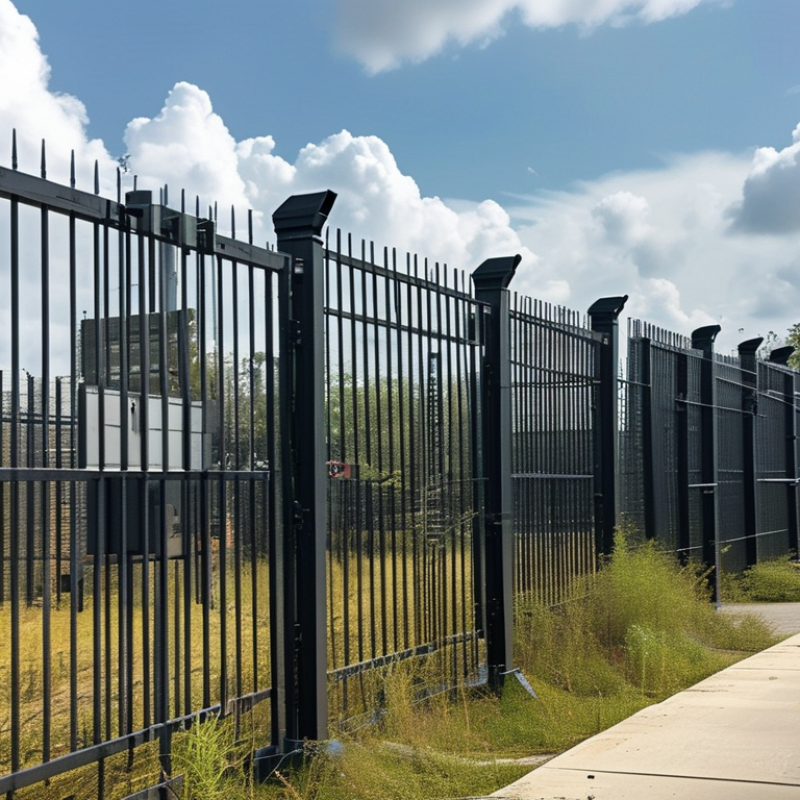
Table of Contents
[Hide]
Define Perimeter Security Needs and Site-Specific Risks
Choosing a perimeter security system starts with defining what must be protected, from people and vehicles to production continuity. Map assets by consequence, not appearance. A small side gate may matter more than a tall front fence. Record operating hours, delivery patterns, lighting, terrain, drainage, and emergency access. Interview guards, facilities staff, and local responders; their observations often reveal blind spots missing from drawings.
Risk evidence should guide the design. The 2024 Allianz Risk Barometer placed natural catastrophes among leading global business risks, cited by 26% of respondents. The NFPA’s 2023 Fire Loss report recorded about 1.39 million U.S. fires and $22.2 billion in direct property damage. These figures do not prove that every site needs more sensors. They show why flood routes, smoke movement, fire lanes, and power resilience belong in the assessment. CISA guidance supports layered controls, combining site design, detection, assessment, and response.
Select controls for each realistic scenario. Use anti-climb barriers where reach is likely, monitored gates where traffic is dense, and verified lighting near loading areas. Keep camera views useful in rain and glare. Test alarm response with practical drills. Perfect coverage is rarely achievable. Overconfidence is the expensive weakness. Review incidents, false alarms, seasonal changes, and construction every quarter; the plan should evolve when the site does.
How to Choose the Best Perimeter Security Systems? - Define Perimeter Security Needs and Site-Specific Risks
| Site or Asset Condition | Risk Score (1–5) |
Primary Threats | Security Needs | Suitable Perimeter Measures | Useful Performance Measures | Planning Notes |
|---|---|---|---|---|---|---|
| Open rural or semi-rural boundary Long fence line, limited lighting, uneven terrain |
3 | Trespassing, livestock or wildlife intrusion, fence tampering, unauthorized vehicle access | Wide-area detection, low false-alarm performance, reliable operation without extensive fixed infrastructure | Perimeter fence, buried or fence-mounted detection, thermal or low-light video at critical zones, controlled vehicle gates, solar-capable field devices where appropriate | Detection coverage by zone, nuisance alarms per day, battery autonomy, time to verify an alarm | Survey vegetation, ground vibration, animals, weather, and line-of-sight before selecting detection technology. |
| Urban commercial or industrial site Adjacent roads, public areas, buildings, and regular deliveries |
3 | Unauthorized entry, theft, tailgating, vehicle intrusion, after-hours access | Clear separation of public, delivery, employee, and restricted areas; auditable access events | Security fencing, monitored gates, intercom or credential checks, video verification, visitor management, anti-tailgating controls | Verified alarm rate, access-log completeness, gate cycle time, percentage of cameras available | Design pedestrian and vehicle flows separately where possible; provide safe emergency egress without weakening access control. |
| Critical infrastructure or utility compound High consequence of service disruption |
5 | Sabotage, deliberate intrusion, theft of critical components, coordinated attacks | Layered detection, delay, assessment, response, redundancy, and strict maintenance control | Reinforced perimeter, anti-climb features, fence and gate monitoring, overlapping video assessment, protected communications, backup power, zoned access control | Detection probability by zone, alarm transmission time, system availability, backup-runtime compliance, mean time to repair | Use documented risk assessment and consequence analysis; coordinate physical security with operational technology and cybersecurity controls. |
| Warehouse, logistics, or distribution yard Frequent truck movements and temporary personnel |
3 | Cargo theft, unauthorized loading, vehicle misuse, credential sharing, perimeter breaches | Rapid vehicle processing, shipment-area visibility, identity verification, and traceable entry and exit records | High-visibility gates, license-plate or vehicle identification where lawful, dock and yard video, delivery scheduling, visitor badges, intrusion alarms | Average gate processing time, unmatched vehicle events, loading-zone coverage, after-hours alarm response time | Check privacy, labor, and data-retention requirements before deploying identity or vehicle-recognition functions. |
| Residential, campus, or public-facing facility Mixed users and high pedestrian activity |
2 | Unauthorized access, vandalism, personal safety incidents, lost credentials | User-friendly access, safe pedestrian routes, rapid incident verification, and minimal nuisance alarms | Defined entrances, lighting, video intercoms, controlled doors or gates, perimeter illumination, emergency communication points | Access availability, false-alarm frequency, lighting coverage, incident verification time, user support requests | Avoid creating hidden areas or unsafe choke points; consider accessibility and emergency evacuation requirements. |
| Construction site or temporary facility Changing boundary, temporary power, valuable equipment |
3 | Material theft, trespassing, vandalism, unauthorized use of machinery | Rapid deployment, movable coverage, tamper detection, operation during low-light and off-hours | Temporary fencing, portable video or thermal assessment, gate logs, mobile lighting, equipment immobilization, remote alarm transmission | Deployment time, device uptime, tamper-event detection, alarm verification time, coverage after site changes | Review the layout after each major construction phase; protect cables, batteries, cameras, and communications equipment from tampering. |
| High-value storage or restricted research site Small footprint with sensitive assets or information |
4 | Targeted theft, insider misuse, unauthorized photography or access, forced entry | Strong identity assurance, least-privilege access, detailed audit trails, and rapid response to abnormal activity | Perimeter and interior zoning, multi-factor access where justified, monitored doors, secure vestibules, video verification, protected alarm communications | Unusual-access alerts, audit-log completeness, denied-entry events, response time, system availability | Separate public, staff, contractor, and asset zones; restrict administrative privileges and review access regularly. |
| Remote site with limited response resources Long travel time for guards or emergency services |
4 | Unauthorized entry, theft, vandalism, delayed discovery of incidents | Reliable remote notification, visual verification, tamper resilience, and long-duration power and communications support | Layered fence detection, remote video assessment, redundant communications, backup power, protected equipment cabinets, scheduled health checks | Notification latency, communications uptime, backup-runtime duration, missed-event rate, maintenance completion rate | Test the system during severe weather and communications outages; define escalation procedures before installation. |
Risk-scoring method: 1 = low consequence and low exposure; 2 = limited exposure or moderate consequence; 3 = regular exposure or meaningful operational impact; 4 = high consequence, high exposure, or limited response capability; 5 = critical consequence or a credible deliberate-threat scenario. Final scores should be validated through a site survey, threat assessment, asset criticality review, and local legal and safety requirements.
Related Posts
-

10 Best Proximity Cards for Global Buyers?
-
Enhancing Home Security: The Ultimate Guide to CCTV and Alarm System Integration
-
Mastering Industry Compliance for the Best CCTV Camera Installation Guide
-

How to Enhance Security and Efficiency with Biometric Access Control Systems
-
Exploring the Features and Applications of the Top CCTV Alarm Systems for Global Buyers
-

Maximizing Security and Efficiency with Proximity Cards for Business Operations