
Blog

Why Choose a Universal Board TV for Your Business?

A business display does more than show a picture; it supports daily communication, customer service, and staff coordination. The right screen can welcome visitors in a reception area, present menus near a counter, or share updates in a meeting room. A Universal Board Tv may appeal to businesses seeking a practical display with a broadly usable control board. However, the term can describe different products, so buyers should confirm the exact board, model, and supported features before making a decision.

Compatibility matters. Check the screen size, resolution, available inputs, mounting options, and warranty against the planned use. A shop owner may value clear text and dependable operation during long opening hours. An office manager may care more about laptop connections and easy setup. Ask suppliers for written specifications, and confirm whether replacement parts and technical support are available in your region. These details help prevent avoidable downtime.

Not always. A lower purchase price does not guarantee lower ownership costs, especially if servicing is difficult or a board is hard to source. Consider power use, installation, expected daily operating hours, and the people responsible for basic troubleshooting. This guide explores why businesses consider Universal Board Tv options, what to check before buying, and where the trade-offs may appear. Real needs vary, and a careful comparison is more useful than assuming one model suits every workplace.
Why Choose a Universal Board TV for Your Business?

What Is a Universal Board TV?

A universal board TV is a television or commercial display built around a control board designed to support common screen functions and input connections. The board processes incoming video, manages settings, and helps connect the panel with devices such as media players or computers. The word “universal” does not mean it works with every device. Compatibility depends on the board, screen, ports, and software.

For a business, this type of display can suit reception areas, meeting rooms, shops, or training spaces. A team might connect a laptop through HDMI, show a schedule, then switch to a presentation. Simple menus and familiar connections can make daily use easier. Still, specifications matter. A display may lack the brightness needed for a sunny storefront, or it may not support a required resolution. The term can be confusing, so check the actual feature list rather than relying on the label alone.

Tips: Check input ports, screen resolution, brightness, and mounting options before buying. Test your source device with the display if possible. Keep a note of settings that work. Small details save time.Compatibility can still be imperfect.

How Does a Universal Board TV Work?

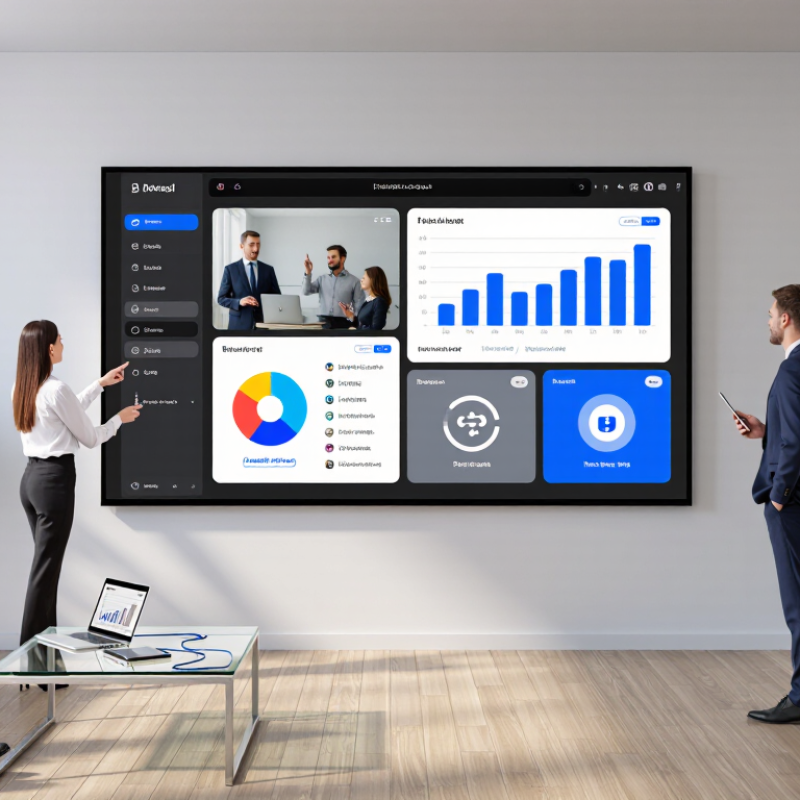
A universal board TV combines a large display, touch-sensitive surface, computing hardware, and collaboration software. A user can connect a laptop through USB-C or HDMI, or share content wirelessly. The built-in system then displays the screen, while touch input lets people annotate slides or move objects with a finger. In a meeting, the same panel may run a whiteboard app, show a video call, and play sound through integrated speakers. It feels simple when everything works. The less glamorous part is setup: network access, permissions, and device compatibility still matter.

AVIXA’s 2024 Industry Outlook and Trends Analysis estimated global professional audiovisual revenue at $306.4 billion in 2023. That figure reflects a broad ecosystem of displays, installation, and support—not a guarantee that every room needs the same equipment. For a business, the practical value lies in reducing handoffs: a presenter can open a document, mark a change on the screen, and save the updated file. One caveat: wireless sharing can lag when a room’s network is congested, so a cable remains useful.

Tips: Check touch response from the back row, test your common laptops, and confirm how notes are saved before a purchase. A two-minute trial can reveal awkward menus.

Which Business Tasks Can It Support?

A universal board TV can support more than presentations. In a meeting room, teams can display sales figures, mark up a proposal, and capture decisions on the same screen. Staff can share a laptop wirelessly or connect by cable, depending on the display’s available inputs. That saves time. It also reduces the familiar shuffle of adapters and printed handouts.

Training teams can use the screen to review procedures, show product demonstrations, and annotate diagrams in real time. During video calls, a large display makes shared documents easier to follow, while built-in or connected cameras and microphones can help remote colleagues join the discussion. Some models support touch input and screen splitting; others do not, so check specifications before planning a workflow around those features. A useful detail: test the room’s lighting and audio before an important session.

The board can also present live dashboards, project timelines, or customer-facing information in reception areas. But not every task. A display will not make unclear data easier to understand, and teams still need sensible file-sharing and access controls. Setup may take longer than expected, especially when older devices or network settings are involved. A short pilot in one room can reveal these snags before the screen becomes part of daily work.

Why Choose a Universal Board TV for Your Business? - Which Business Tasks Can It Support?

Business task How a universal board TV can help Relevant capabilities Example use
Presentations and briefings Displays slides, documents, images, and other meeting materials on a shared screen. Large-format display; wired or wireless screen sharing, depending on the model and setup. Reviewing a project update with an in-room team.
Collaborative planning Lets participants annotate content, arrange ideas, and discuss plans together. Touch input and digital whiteboard tools, where supported. Mapping project milestones or organizing a team workflow.
Video meetings Provides a shared display for remote participants and meeting materials; conferencing equipment or software may be needed. Display connectivity; optional camera, microphone, speakers, and conferencing application. Discussing a proposal with colleagues joining remotely.
Staff training and onboarding Shows training materials and can support demonstrations or interactive explanations. Screen sharing, touch interaction, and access to training content through a connected device or supported system. Walking new employees through a process or training presentation.
Document and design reviews Makes shared materials easier for a group to view and discuss, with annotation available on compatible systems. High-resolution display; touch or annotation features, depending on configuration. Reviewing a draft layout, report, or presentation with stakeholders.
Brainstorming and workshops Gives groups a shared space to capture ideas and build on discussion in real time. Digital canvas or whiteboard software; touch input where available. Collecting ideas during a product or process workshop.
Operational information sharing Can display schedules, charts, dashboards, or status updates from a connected computer or compatible application. External device or network access may be required; display compatibility depends on the source and setup. Showing a team schedule or project status during a review meeting.
Hybrid team collaboration Combines shared on-screen content with in-room discussion and, when configured, remote participation. Compatible conferencing tools and peripherals; network access may be required. Facilitating a meeting with both office-based and remote staff.

Features vary by model and configuration. Check display connectivity, touch support, software compatibility, and any required peripherals before choosing a solution.

What Benefits Does It Offer Businesses?

A universal board TV gives meeting rooms one flexible screen for presentations, video calls, and shared notes. Staff can connect laptops through common wired or wireless options, instead of searching for a room-specific adapter. Less setup friction. In a small sales room, a presenter can display a spreadsheet while remote colleagues follow the same figures on screen.

The need for adaptable rooms is clear. Microsoft’s 2022 Work Trend Index reported that 52% of employees were likely to consider hybrid work in the year ahead. The same report said 50% of leaders expected full-time in-person work. That mismatch makes flexible meeting spaces useful: teams can present in person, include remote participants, and switch devices between sessions. A universal board TV can also support training, signage, and quick team huddles, helping businesses use one display across different tasks.

Compatibility still needs checking. Not every laptop casts reliably, and wireless sharing can falter when networks are crowded. Test the screen with staff devices, confirm readable text from the back row, and check whether controls are simple enough for guest presenters. Small details matter. A display that takes five minutes to connect may quietly discourage people from using it.

How Should a Business Choose a Universal Board TV?

How Should a Business Choose a Universal Board TV?

Choosing a universal board TV starts with the room and the work happening in it. Measure the viewing distance, wall space, and available power before comparing screen sizes. A 55-inch display may suit a small meeting room, while a bright reception area may need stronger brightness. Check the basics. Confirm that the board supports the panel, resolution, and refresh rate you plan to use. “Universal” does not always mean compatible with every screen.

List the connections staff actually need. A training room may rely on HDMI, USB, and reliable network access; a small office may need fewer ports. Check whether the TV can wake, switch inputs, and recover after a power interruption without complicated steps. Not every room. Test one unit with your existing laptops, cables, and presentation software before ordering several. That simple trial can reveal lag, awkward menus, or missing audio connections.

For daily business use, review warranty coverage, replacement-board availability, and the supplier’s technical support. Ask who handles firmware updates and what happens if the display develops a fault. Compare total operating cost, not just the purchase price. A low-cost model can become expensive when repairs take weeks. I would also ask staff to try the controls; specifications cannot show whether routine tasks feel intuitive. Some needs may be missed at first, so leave room in the budget for a practical accessory or installation change.

Why Choose a Universal Board TV for Your Business?

How Should a Business Choose a Universal Board TV?

All sizes shown use the same 4K UHD resolution of 3840 × 2160 pixels. Pixel density is calculated from the resolution and screen diagonal; a smaller value on a larger screen does not mean fewer pixels, but pixels are spread over a bigger area. Choose a size that suits your room and viewing distance, then check connectivity, compatibility, and installation requirements.

By continuing to use the site, you agree to the use of cookies. more information

The cookie settings on this website are set to "allow cookies" to give you the best browsing experience possible. If you continue to use this website without changing your cookie settings or you click "Accept" below then you are consenting to this.

Close