Choosing the best CCTV camera for home use starts with a simple question: what do you need to see, and where? A front door may need clear faces at night, while a driveway camera may need a wider view of moving cars. Indoors, a compact camera can help check on pets or entryways. The right choice depends on your home’s layout, lighting, internet connection, and budget—not just the highest resolution on the box.
Look beyond image quality. Check whether the camera offers useful night vision, reliable motion alerts, and storage options that suit your routine. Some models save clips locally; others rely on cloud plans that may add ongoing costs. Wi-Fi cameras are easier to install, but thick walls or distant routers can interrupt a signal. Wired systems take more planning. They can be less convenient to set up, yet may offer steadier connections.
There is no perfect camera. Not quite. A device with many features can still miss activity if it is aimed poorly or overwhelmed by passing headlights. Before buying a Cctv Camera For House, consider camera placement, weather protection for outdoor use, app usability, and how recordings are secured. Review the manufacturer’s privacy and security guidance, and check applicable local requirements before recording shared or public areas. This guide will compare common camera types and practical features, helping you narrow the options without assuming one model fits every home. A little setup testing matters. Walk through the camera’s view after installation, review alert sensitivity, and adjust the angle if faces or important paths appear too small.
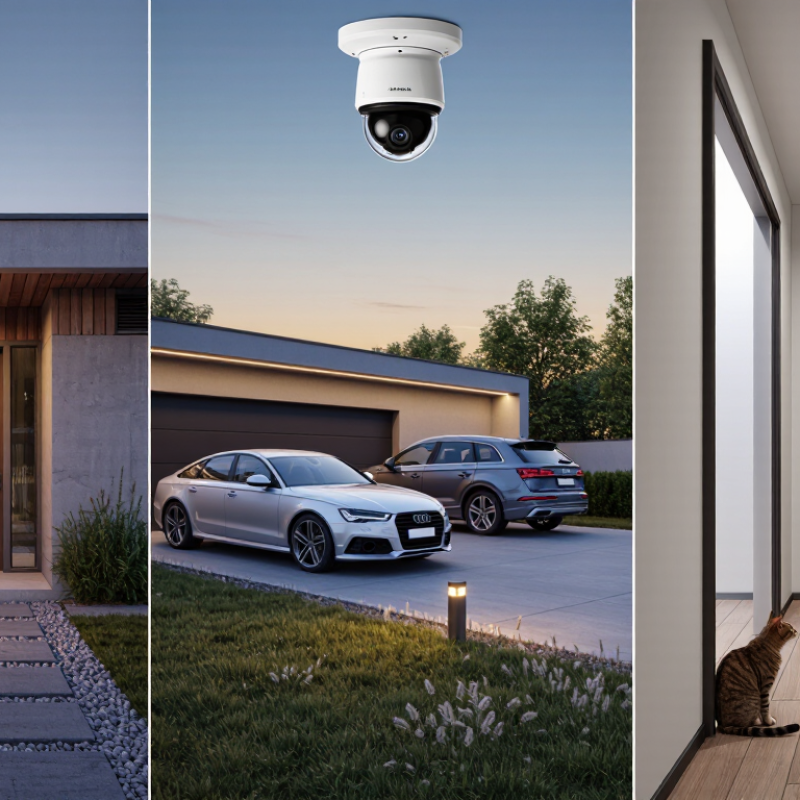
What Is the Best CCTV Camera for Home?
How Home CCTV Cameras Work
A home CCTV camera captures light through its lens and focuses it onto an image sensor. The sensor converts that light into digital video. A small processor compresses the footage so it takes less space to store or send. Simple, but not magic. At night, infrared lights can illuminate a dark doorway, though the image may appear in black and white. Motion detection looks for changes between frames or uses a sensor to notice movement. Passing headlights, swaying branches, or a pet can trigger an alert.
The camera sends footage through a wired connection or home Wi-Fi to a recorder, memory card, or online storage service. A phone app may let you view live video and replay saved clips. Local storage can keep recordings available when internet service drops; online storage may offer access from elsewhere, depending on the setup. Check how long clips remain saved and who can access the account. Strong passwords and software updates matter. In everyday use, careful placement often improves results more than extra features. Aim at entrances without pointing directly into a bright window. Even then, motion alerts can be fussy, and a camera cannot show what its lens cannot see.
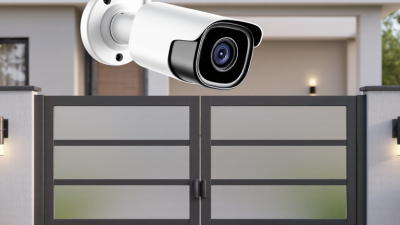
Residential CCTV cameras generally fall into wired, Wi-Fi, indoor pan-and-tilt, outdoor, and video-doorbell types. Wired PoE cameras send power and video through one Ethernet cable, making them reliable for fixed coverage, such as a driveway or side gate. Installation takes more planning. Wi-Fi models are easier to place near a socket, but thick walls can weaken their signal. Grand View Research valued the global video-surveillance market at $53.7 billion in 2023 and forecast 10.4% annual growth through 2030. That figure reflects industry investment, not proof that one camera type suits every home. No layout is perfect.
Indoor pan-and-tilt cameras can follow movement across a living room, though a moving lens may leave another area unseen. Outdoor turret or bullet cameras suit entrances and yards; check their weather rating and night-vision performance before mounting them under an eave. A video doorbell focuses on the porch and visitor activity, rather than broad garden coverage.
For a small flat, one Wi-Fi camera may be enough. A detached home may need wired coverage at key entry points, with indoor cameras used only where appropriate. Test the signal from the intended mounting spot. It is easy to overlook glare from a window or a porch light washing out night footage. Choose based on the areas you need to see, available wiring, and how you will store recordings.
What Is the Best CCTV Camera for Home?
Factors to Consider When Choosing a Home CCTV Camera
Choosing a home CCTV camera starts with the area you need to monitor: a front step, a side gate, or a dim garage. The FBI’s Crime in the Nation, 2023 report recorded 847,522 burglaries in the United States. That figure is not a measure of camera effectiveness, but it shows why useful coverage matters. For a doorway, check whether the camera captures faces and package drop-offs without pointing into a neighbor’s windows. Wider views help cover open yards, though distant details may look small. Placement matters.
Match image quality to the scene, not just the number printed on the box. Check night footage, motion alerts, and how well the camera handles backlighting from a porch lamp. For reliability, consider power and connectivity: a weak Wi-Fi signal can delay alerts, while a wired connection may limit placement. NIST’s IoT cybersecurity baseline, NISTIR 8259A, highlights capabilities such as secure configuration, data protection, and software updates. Look for clear update support, strong account protection, and storage options you understand. Test alerts at the actual mounting spot; indoor signal strength can be misleading. Cloud storage may add recurring costs, while local storage needs sensible physical protection. No camera sees everything.
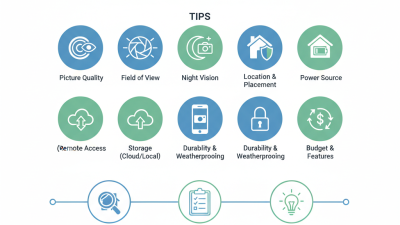
Tips: Before buying, stand where the camera will go and check the view at night. Compare storage costs and alert settings. Keep the lens clear, and review recordings occasionally; missed updates are easy to overlook.
| Factor | Indoor Plug-In Wi-Fi | Outdoor Plug-In Wi-Fi | PoE Wired Camera | Battery-Powered Outdoor Camera |
|---|---|---|---|---|
| Typical resolution | Commonly 1080p or 2K; higher-resolution models are also available. | Commonly 1080p, 2K, or 4K, depending on the model. | Commonly 1080p to 4K; check that the recorder and network support the chosen resolution. | Commonly 1080p or 2K; some models offer higher resolutions. |
| Power and installation | Uses a nearby power outlet. Setup is generally straightforward, but the camera needs a suitable indoor location. | Uses mains power, so a weather-protected outlet or suitable power connection is needed near the mounting point. | Uses one Ethernet cable for both power and network connection when connected to compatible PoE equipment. Cable routing may require more work. | Runs on a rechargeable or replaceable battery. Installation is flexible, but the battery must be recharged or replaced. |
| Network connection | Usually connects over 2.4 GHz Wi-Fi; some models also support 5 GHz. | Usually connects over Wi-Fi. A strong signal at the outdoor mounting location is important. | Connects through Ethernet, providing a direct wired link to a compatible network switch or recorder. | Usually uses Wi-Fi. Signal strength and distance from the router can affect reliability. |
| Recording and storage | Options may include a microSD card, a network recorder, cloud storage, or a combination. Available options vary by model. | May support local card or recorder storage and/or cloud storage. Confirm which options are available before buying. | Often paired with a network video recorder for continuous local recording; some setups also support remote or cloud access. | Often records event-triggered clips to local or cloud storage. Continuous recording can reduce battery life or may not be supported. |
| Internet outage | Remote viewing and app alerts generally need internet access. Local recording may continue if the camera and storage system support it. | Remote access and notifications generally need internet access; local recording depends on the camera and storage setup. | A local recorder may keep recording during an internet outage if the local network and power remain available. Remote viewing may be unavailable. | Remote access and alerts generally need internet access. Some models can store clips locally, subject to their features and settings. |
| Night and low-light view | Infrared night vision is common. Some models use a visible light to provide color footage in suitable conditions. | Infrared night vision is common; spotlight-equipped models may provide color footage when the light is on. | Infrared night vision is common. Image quality depends on sensor, lens, lighting, and installation. | Infrared night vision is common. Motion-triggered recording is often used to conserve battery power. |
| Weather suitability | Designed for indoor use; not intended to be exposed to rain or outdoor conditions. | Choose a model rated for outdoor use. Check its IP rating and the temperature range specified by the manufacturer. | Outdoor models are available. Verify the weather rating and use suitable cable connections and installation practices. | Choose a model rated for outdoor use, and check its IP rating and operating temperature range. |
| Main advantages | Simple setup, easy access to indoor views, and no battery charging. | Can provide a steady power supply and continuous recording options for exterior areas. | Stable wired connectivity, a single cable for power and data with compatible PoE equipment, and good support for multi-camera systems. | Flexible placement without a nearby power outlet and typically less cable work. |
| Main trade-offs | Needs an outlet and dependable Wi-Fi; placement may leave blind spots. | Needs power near the mounting point and reliable outdoor Wi-Fi unless it uses a wired network connection. | Requires compatible equipment and cable installation; less convenient to relocate after setup. | Requires battery maintenance; recording frequency and cold weather can affect battery life. |
| Often a good fit for | Monitoring a room, entryway, or pet indoors. | Monitoring a porch, driveway, or yard where power is available. | Homes needing dependable multi-camera coverage and local continuous recording. | Locations where running power cables is difficult and event-based monitoring is sufficient. |
Note: Features and performance vary by model and installation. Before choosing, check storage costs, subscription requirements, privacy controls, field of view, and whether the camera’s power and network connection suit your home.
What Is the Best CCTV Camera for Home?
Key Features of Modern Home CCTV Systems
A useful home CCTV system should capture clear detail, send timely alerts, and keep working after dark. Look for high-definition video, infrared night vision, and a wide—but not distorted—field of view. Motion detection is more helpful when you can adjust its zones, such as excluding a busy pavement beyond your front gate. Two-way audio can help you speak to a visitor, though it is not a substitute for checking the live image. Local storage and optional cloud backup offer different trade-offs in access, cost, and privacy. No camera covers every angle.
Connectivity and security matter just as much as image quality. Verizon’s 2024 Data Breach Investigations Report found that 68% of breaches involved a non-malicious human element, such as an error. That finding is not specific to cameras, but it highlights why setup habits matter. Choose a system with encrypted connections, security updates, and two-factor authentication. Check how long recordings are retained and who can access them. A camera that sends constant false alerts may end up ignored.
Tips: Test the night view from the actual mounting spot; glass can cause infrared glare. Aim cameras at entry points, not every corner. Use a unique password, enable two-factor authentication, and review access settings after adding household members. Keep the router and camera software updated. Also, check the Wi-Fi signal at the intended location before drilling holes.
The best CCTV camera for home is not simply the one with the sharpest picture. It should suit your layout, network, and comfort with recording. Before mounting it, check the view from the intended spot. A camera above a doorway may capture faces clearly, while one aimed through a window can show glare after dark. Test the Wi-Fi signal there, too. A dropped connection is easy to overlook until you need footage. I would also avoid pointing cameras toward neighbors’ windows or private indoor spaces.
Storage affects both cost and control. Local storage can keep recordings on a memory card or home hub, but theft or damage may take the footage with it. Cloud storage can preserve clips remotely, though it may require a subscription and an account with strong security. Review how long recordings remain available, who can access them, and whether motion alerts can be limited to useful hours. Privacy settings deserve attention. I once found routine alerts more distracting than helpful.
Tips: Set a strong, unique password and enable two-step sign-in when available. Use motion zones to ignore passing cars or swaying branches. Check the camera’s angle at night, then review a sample clip before leaving it in place. Keep software updated, and disable audio recording if you do not need it.
By continuing to use the site, you agree to the use of cookies. more information
The cookie settings on this website are set to "allow cookies" to give you the best browsing experience possible. If you continue to use this website without changing your cookie settings or you click "Accept" below then you are consenting to this.