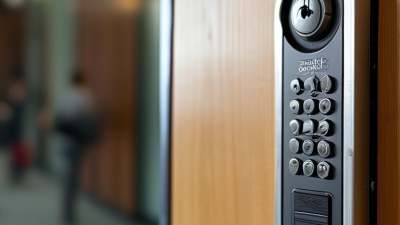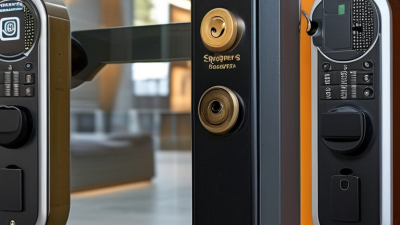
Choosing a Key Card Entry System is not simply a matter of comparing prices or selecting the newest reader. It is a practical security decision shaped by your building, staff, visitors, and daily routines. A small office may need one glass-door reader, while a hotel, school, or warehouse may require multiple access zones and detailed event records. The right system should match real movement through the property. It should also remain manageable when an employee loses a card at 7:30 a.m.
This guide examines the features that deserve careful attention before purchase. These include credential security, user permissions, audit trails, emergency access, power-failure behavior, and software integration. Installation quality matters too. A well-designed reader can still perform poorly if cables are exposed or the door hardware is mismatched. Experience from access-control projects shows that simple administration often matters more than impressive specifications. Nobody wants to call a technician for every new employee.
Reliable vendors should explain encryption practices, maintenance needs, warranty coverage, and data handling clearly. Independent certifications and documented testing can support those claims, but they should not replace practical questions. Ask how quickly access can be revoked. Test what happens when the network fails. Walk through the entrance at busy times. A system that works in a demonstration may feel slow during a crowded morning.
There is no perfect option. Budget limits, older doors, and staff habits can complicate the decision. This guide may not remove every uncertainty, but it will help you compare systems honestly and choose one that supports secure, convenient, and accountable access.
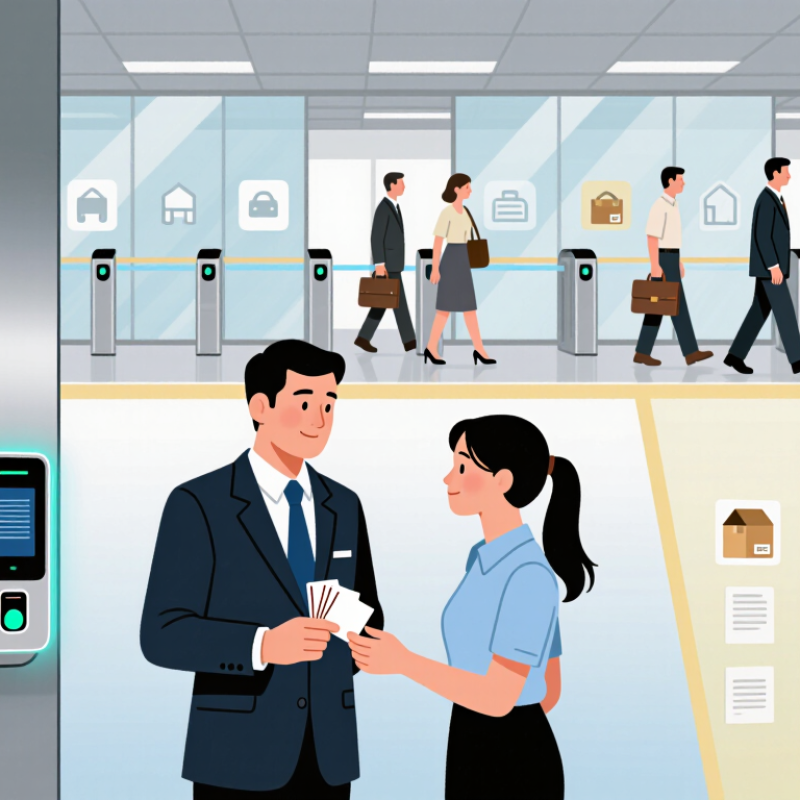
A key card entry system checks a credential before releasing an electric lock. When someone presents a card or fob, a reader captures its encoded identifier and sends it to a control unit. The unit checks whether that credential is active and permitted at that door and time. If access is approved, it signals the lock to open; otherwise, the door stays secured. The card itself usually does not move the lock directly. That distinction matters when diagnosing faults: a reader may light up while the controller or lock has a problem.
Systems differ in how credentials communicate with readers, how access rules are managed, and whether events are stored locally or on a networked controller. In a small office, an administrator might allow staff through the side entrance during working hours, while restricting a storage room to selected roles. Logs can help investigate a door that was left open, but they are useful only if clocks and user records are maintained. Keep a clear process for reporting lost cards and disabling them promptly. Test what happens during a power or network interruption; behavior depends on the lock and system setup. That detail is easy to overlook. I would also check how the door behaves during a fire alarm and have a qualified installer confirm the design suits the building.
How to Choose a Key Card Entry System: Understanding the Technology
This chart compares the nominal operating frequencies of common credential technologies. Frequency is only one factor when choosing a system: also check credential security, reader compatibility, and whether the system supports the access-control features you need.
Choosing a key card entry system starts with the property, not the reader. Map each entrance, tenant group, visitor route, and staff schedule. A small office may need simple door permissions and a clear lost-card process. A residential building may also need reliable entry during busy periods, backup power, and a way to manage deliveries. Check whether existing doors and wiring can support the system. Retrofitting can cost more than expected.
Security depends on daily practices as much as hardware. Verizon’s 2024 Data Breach Investigations Report found that the human element was involved in 68% of breaches studied. That figure covers many kinds of breaches, not key-card incidents specifically, but it underlines the value of promptly disabling lost credentials and reviewing access logs. Ask how the system handles failed entries, administrator accounts, and outages. A card reader can look reassuring. It is not a complete security plan.
Tips:
Test the entry process at peak times, such as a morning lobby rush. Confirm who can issue cards, change permissions, and audit activity. Request a demonstration using your actual door types and user roles. Keep a written fallback plan for power or network failures. One detail is easy to miss: visitors need convenient access without gaining unnecessary access elsewhere. Revisit your assumptions after installation; real use may expose gaps.
Key card systems differ in both how cards communicate and how doors are managed. Older proximity cards use radio signals and are simple to issue, but basic formats may offer limited protection if copied. Smart cards can store encrypted credentials and support stronger authentication. They are often a better fit for offices with sensitive areas. Some systems also accept mobile credentials through near-field communication, which can reduce card handling. Check whether readers support the credential type you plan to use; similar-looking cards are not always compatible.
System design matters just as much. A standalone reader stores permissions at the door, making it practical for a few entry points with infrequent changes. Networked systems let administrators update access centrally and review event records. Cloud-managed options can simplify remote administration, but depend on reliable connectivity and careful account controls.
Picture a staff member losing a card after hours: a connected system may let an administrator revoke it quickly, while an offline door might need a local update. That difference is easy to overlook.
Compare reader costs, wiring, backup power, and the process for adding or removing users. A small test installation can reveal awkward workflows before a full rollout. Even then, real users may behave differently than expected.
A key card system is only as practical as its installation. Check door materials, existing wiring, reader locations, and network coverage before choosing hardware. A reader mounted beside a metal frame may need careful positioning to avoid unreliable reads. Ask an installer to test real doors during busy periods, not just demonstrate a single successful swipe. Small details matter.
Management deserves equal attention. Decide who issues cards, changes access levels, and disables lost credentials—and how quickly each task can happen. The 2024 Data Breach Investigations Report found that 68% of breaches involved a human element; that figure is not specific to access systems, but it highlights the risks of unclear processes. Keep permissions role-based, review them regularly, and avoid shared cards. A spreadsheet may work for a small site, until staff turnover makes it hard to trust.
Plan maintenance before installation is complete. Confirm who replaces batteries, checks door hardware, updates software, and responds when a reader fails. Ask for a written service schedule and a simple fallback procedure for outages. The best arrangement is not always the most automated one. A monthly test can catch a sticking latch, though someone must remember to do it. That part gets overlooked.
| System approach | Installation needs | Management needs | Maintenance needs | Often suits | Key considerations |
|---|---|---|---|---|---|
| Standalone electronic lock | Typically installed at individual doors. Depending on the lock and door, work may involve replacing existing hardware and configuring the lock; extensive network cabling is usually not required. | Credentials and schedules are generally managed at the lock or with a local programming device. Updating several doors may require visiting each lock. | Check batteries where used, inspect lock operation, and keep a controlled process for issuing and removing credentials. Audit-history capacity varies by model. | A small site with a limited number of doors and relatively simple access rules. | Confirm that the lock is compatible with the door, frame, and required exit hardware. Consider how quickly lost cards can be disabled. |
| Wired, networked access control | Usually requires electronic locks or readers, door controllers, power, and cabling between field devices and controllers. Door and life-safety requirements should be reviewed before installation. | Authorized staff can commonly manage credentials and access schedules from a central workstation. Remote changes depend on the system’s network design and configuration. | Inspect readers, locks, power supplies, cabling, and controller connectivity. Maintain backups of configuration data and test door functions periodically. | Buildings with multiple doors, centralized oversight, or frequent changes to access permissions. | Plan cable routes, controller locations, network access, backup power needs, and behavior during a power or network outage. |
| Wireless electronic locks | Often avoids running a dedicated cable to every door, but may require compatible lock hardware, wireless setup, and gateways or repeaters for some designs. | Management may be local or centralized, depending on whether the locks communicate with a management system and how often they synchronize. | Battery condition and replacement are important. Also check wireless communication, lock condition, and that scheduled updates reach the doors. | Retrofits or sites where routing new cable is difficult, subject to a suitable wireless design. | Check signal coverage, expected battery life under actual use, offline operation, and how quickly changes reach a lock. |
| Cloud-managed access control | Door hardware, readers, controllers, and network connectivity are still required. The system may use cloud-hosted management, but the door-side equipment and installation depend on the design. | Administrators can typically manage permissions through a web-based service. Remote access depends on internet availability, account security, and the system’s offline behavior. | Maintain door hardware and network equipment; review administrator accounts and backups. Check service terms, software updates, and support arrangements. | Organizations that need centralized administration across locations or remote credential management. | Review recurring service costs, data handling, account controls, internet-outage procedures, and the process for exporting records if the service changes. |
| On-premises, centrally managed system | Requires door hardware and controllers, plus a local server or workstation and appropriate network connections. Installation includes configuring the local management environment. | Staff manage users and access rules through software hosted on the organization’s own equipment. Remote administration requires a separately secured network setup. | The organization is responsible for server upkeep, software updates, backups, and hardware support, in addition to maintaining door devices. | Sites that need centralized control while keeping system hosting within their own IT environment. | Account for IT staffing, server lifecycle, backup and recovery procedures, software compatibility, and responsibility for security updates. |
Choosing a key card entry system starts with the full cost, not just the price of the readers. Include cards, installation, software, wiring, training, and ongoing support in your estimate. A low-cost setup may suit a small office with one entrance and a stable staff. For a larger site, check whether the system can add doors without replacing its controller. Ask for a written estimate covering both today’s needs and a realistic expansion, such as adding two entrances next year. Estimates can still miss details. That happens.
Tips: Leave room in the controller capacity for planned doors, and confirm how new cards are issued or disabled. Ask who can export access records and what support costs after installation. Get the answers in writing.
Expansion costs often hide in infrastructure. A new reader may need longer cable runs, a network connection, or changes to the door hardware. Have an installer inspect likely future entry points before you commit. Also consider how many people will manage the system; a complicated interface can add training time and mistakes. Compare the cost of adding one door with the cost of upgrading the central equipment. Keep the plan flexible, but avoid paying for capacity you are unlikely to use. One more check: review the estimate after staff numbers and access needs change.
By continuing to use the site, you agree to the use of cookies. more information
The cookie settings on this website are set to "allow cookies" to give you the best browsing experience possible. If you continue to use this website without changing your cookie settings or you click "Accept" below then you are consenting to this.